NACL vs Security Groups on AWS: Which Firewall Actually Stops Your Traffic?
Why a port that's "open" in your security group can still time out. How NACLs and security groups differ, where each sits in the packet path, the ephemeral port trap, rule order, and a real three-tier design.
%% Add the YouTube embed here once the video is live: %%
If you've worked with AWS for a while, you've probably seen some version of this ticket:
The security group allows port 443. The instance is healthy. The load balancer says the target is fine. So why does the website just hang?
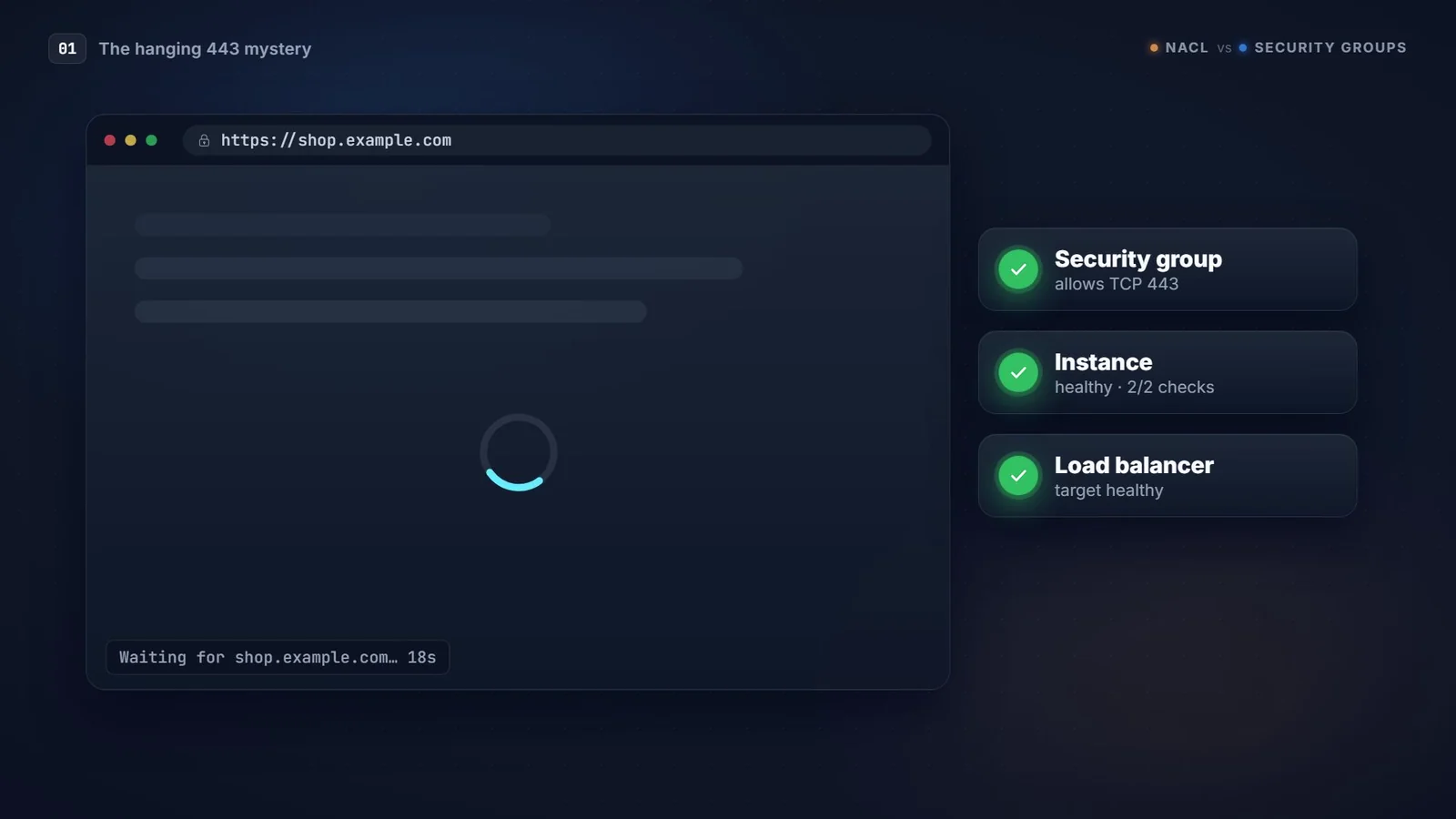
Everything you check looks right, and the site still times out. More often than not, the culprit is the other firewall in your VPC, the one people forget exists: the Network ACL.
This post is the written companion to my video on the same topic. Same diagrams, same examples, a bit more detail where the video had to keep moving.
The short version
- Security Group (SG): a stateful, allow-only firewall attached to an instance's network interface (ENI).
- Network ACL (NACL): a stateless, allow-and-deny firewall attached to a subnet.
Almost everything else in this post follows from those two lines. Hold on to the words stateful and stateless, because that's where the timeouts come from.
Two firewalls, one packet
Every packet that reaches an EC2 instance passes two checkpoints. First the NACL, which guards the whole subnet. Then the security group, which guards the instance's network interface.
For a request coming in from the internet, the path looks like this:
- Client → Internet Gateway → VPC router (route table)
- NACL inbound rules on the subnet are checked
- Security group inbound rules on the ENI are checked
- The instance finally gets the request
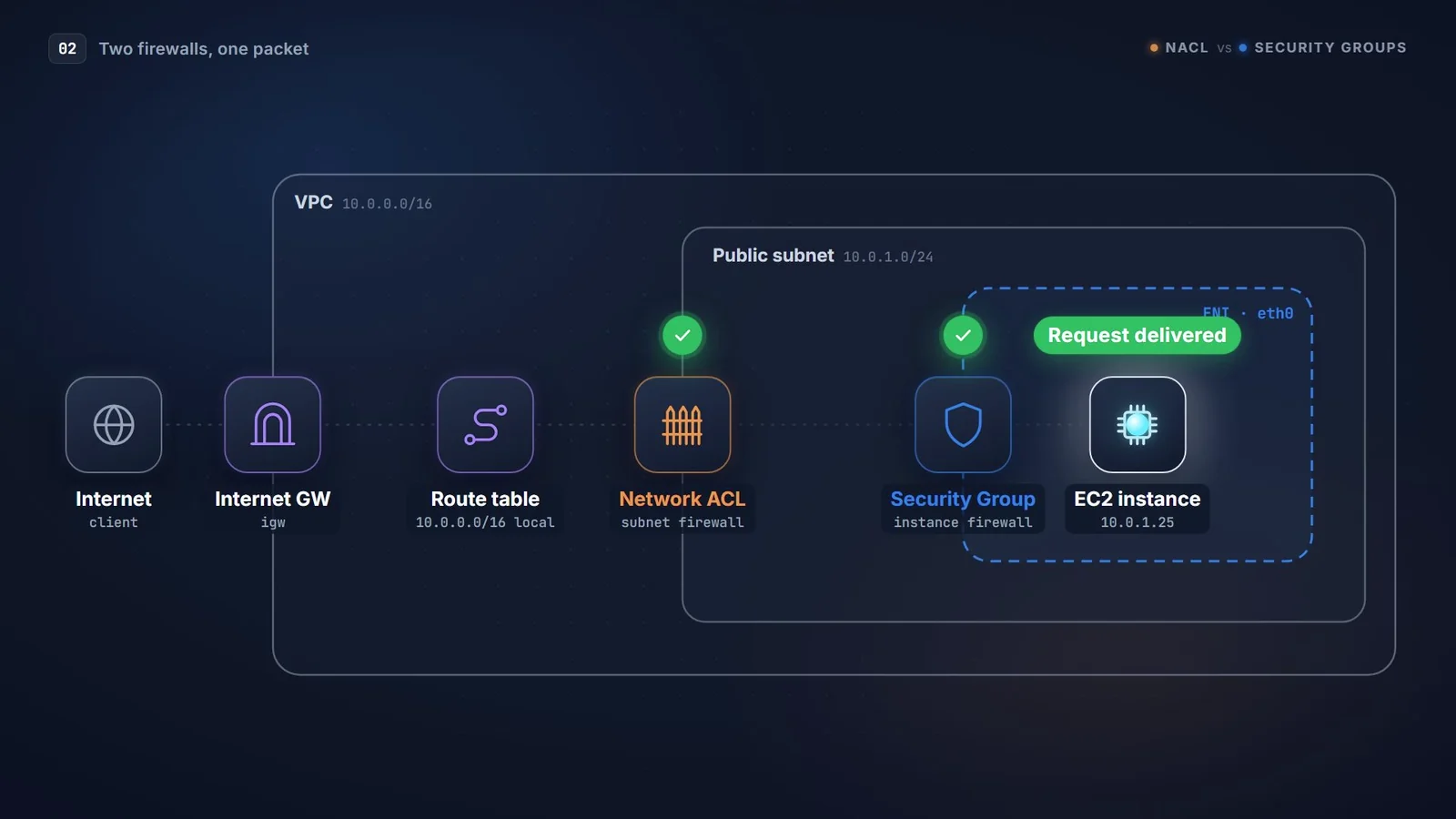
The analogy I keep coming back to is an office building. The NACL is the security guard at the building entrance: everyone gets checked on the way in, and again on the way out. The security group is the keycard reader on your office door: once it has let you in, it remembers you.

The reply is where it goes wrong
Getting the request in is the easy half. The reply has to get back out, and this is where the two firewalls behave completely differently.
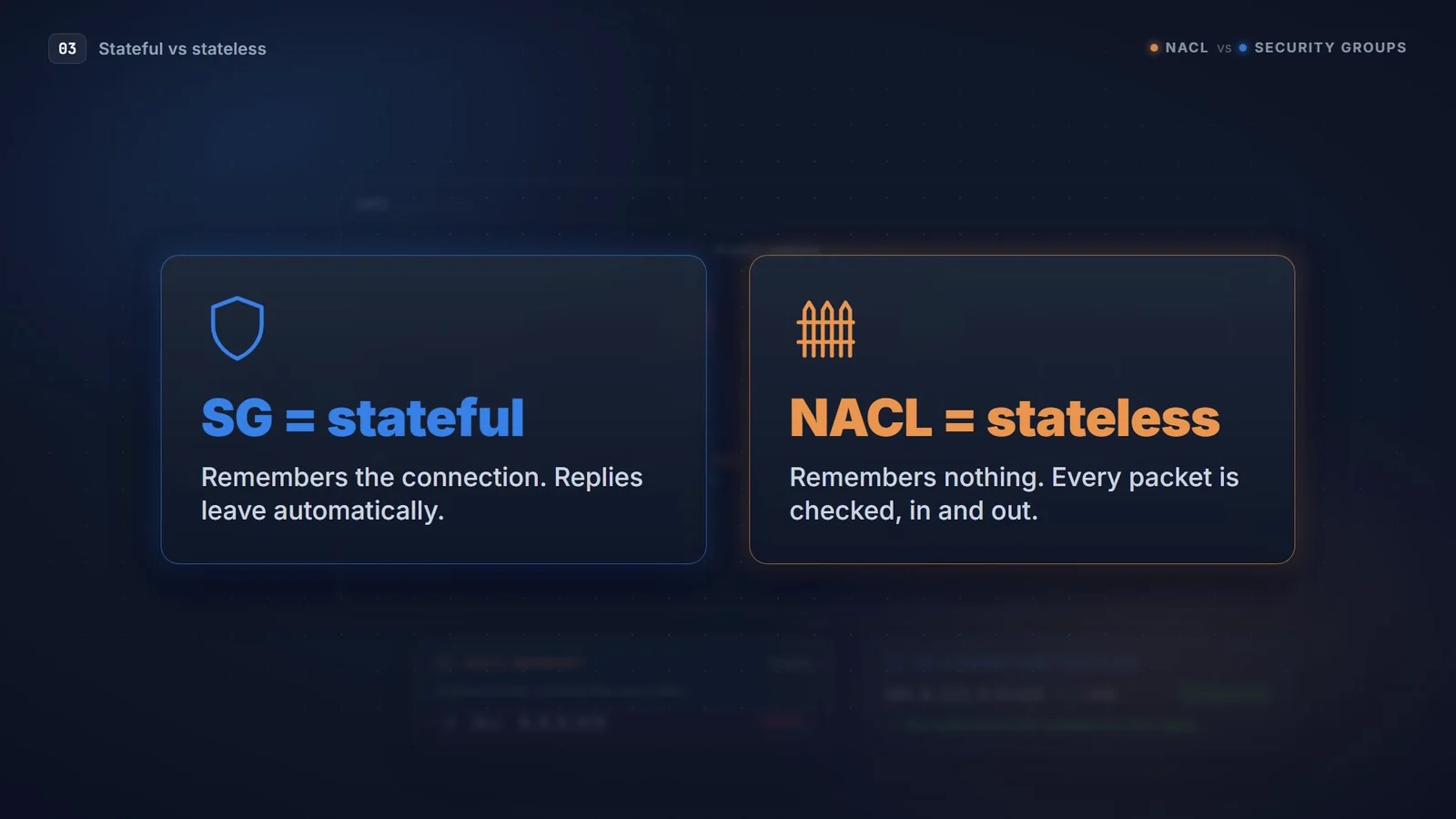
The security group is stateful. It keeps track of the connection it just allowed in, so the reply walks straight out. No outbound rule is needed. (It works the other way round too: if the instance makes an outbound call you allowed, the response comes back in without an inbound rule.)
The NACL is stateless. It has no memory at all. It checks the reply as if it were brand-new traffic. If the NACL's outbound rules don't explicitly allow that reply, it gets dropped, and your user sees a timeout.
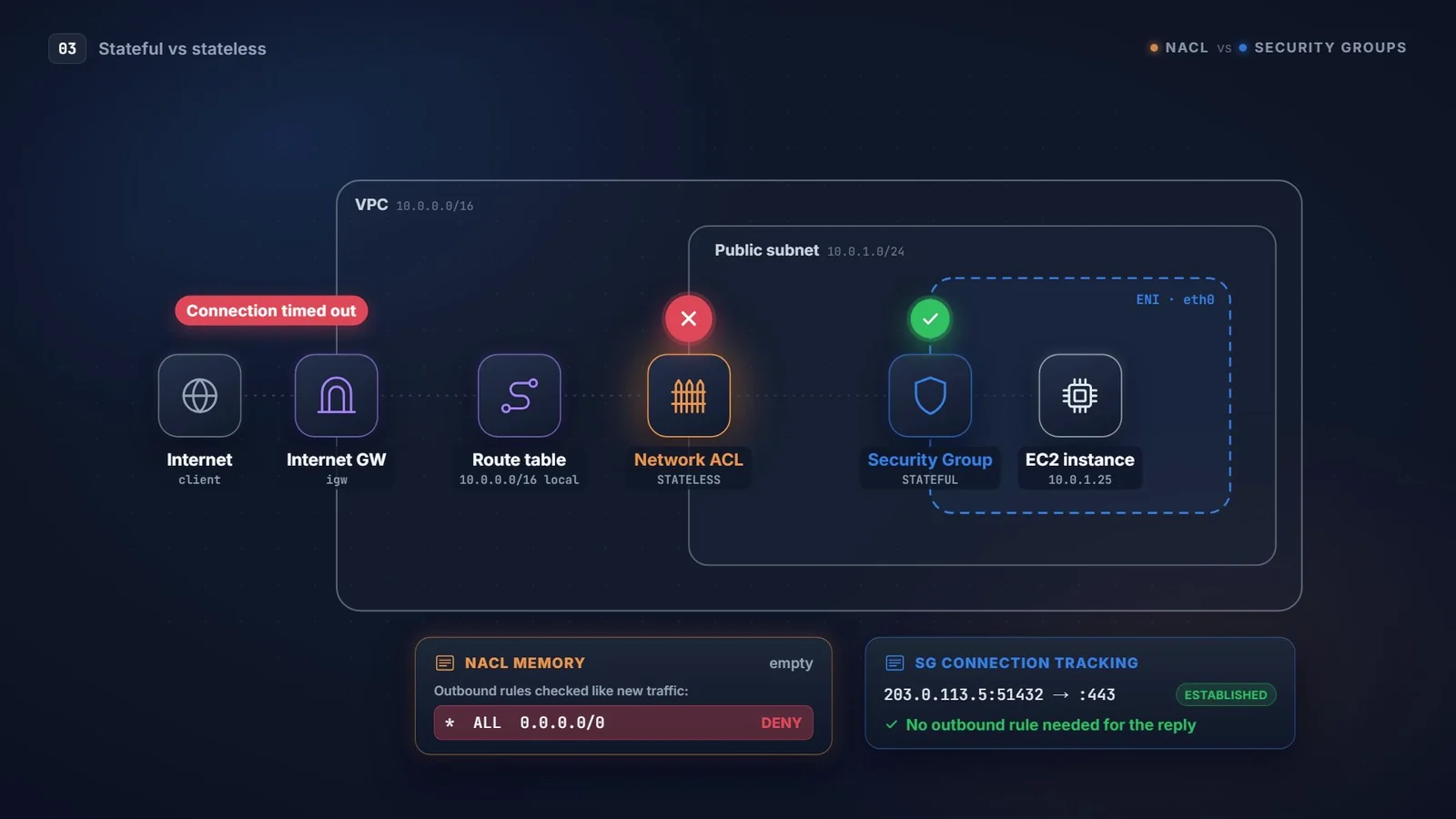
That one asymmetry causes more broken deployments than anything else in this topic. The security group looks perfect, because it is perfect. The problem lives one layer out.
The ephemeral port trap
So why does the NACL block the reply, if you allowed 443 inbound? Because the reply doesn't go to port 443.
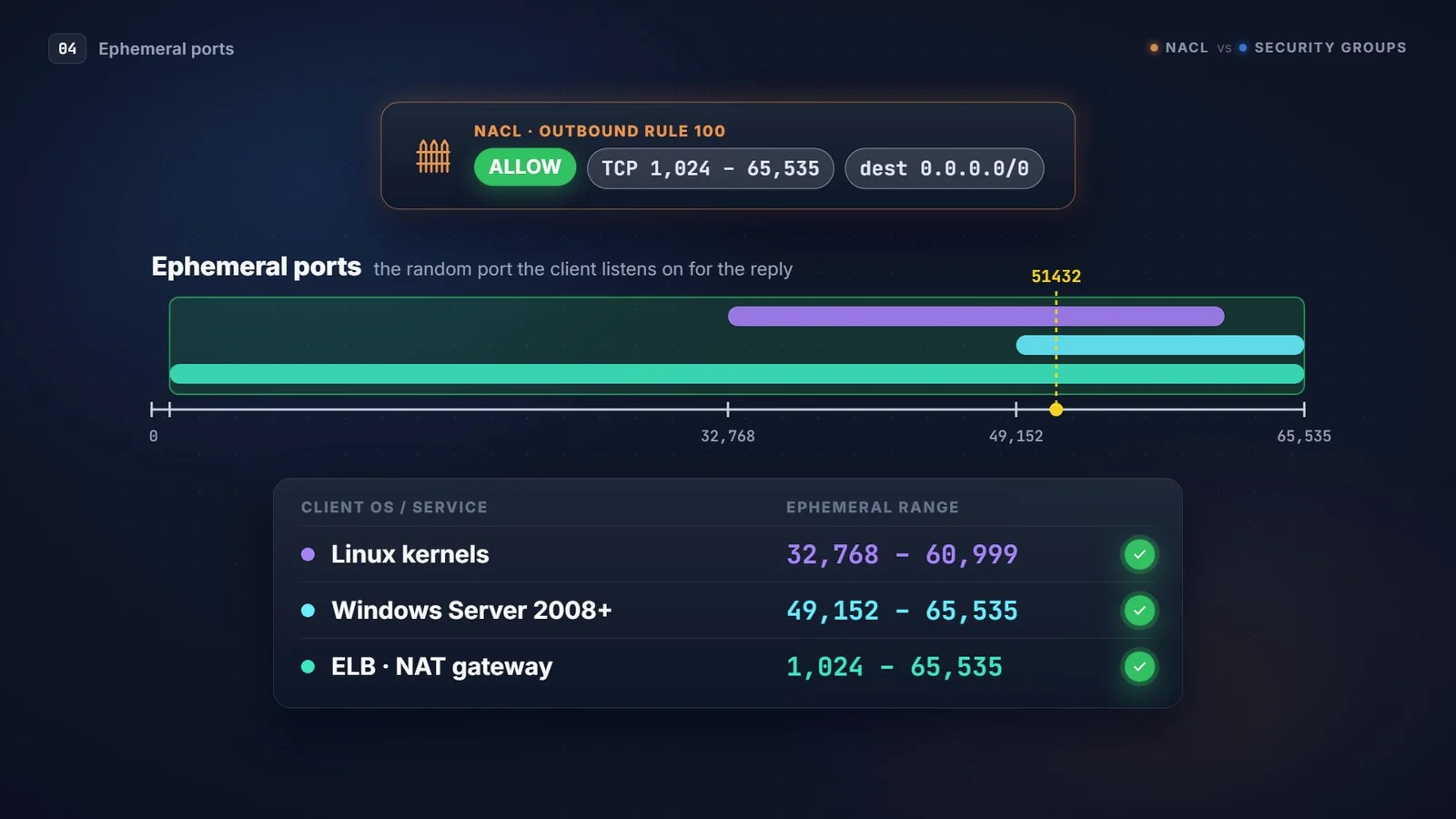
When your browser connects to a server on 443, it picks a random source port, something like 51432. The server replies to that port. These short-lived client ports are called ephemeral ports, and the reply's destination port is one of them.
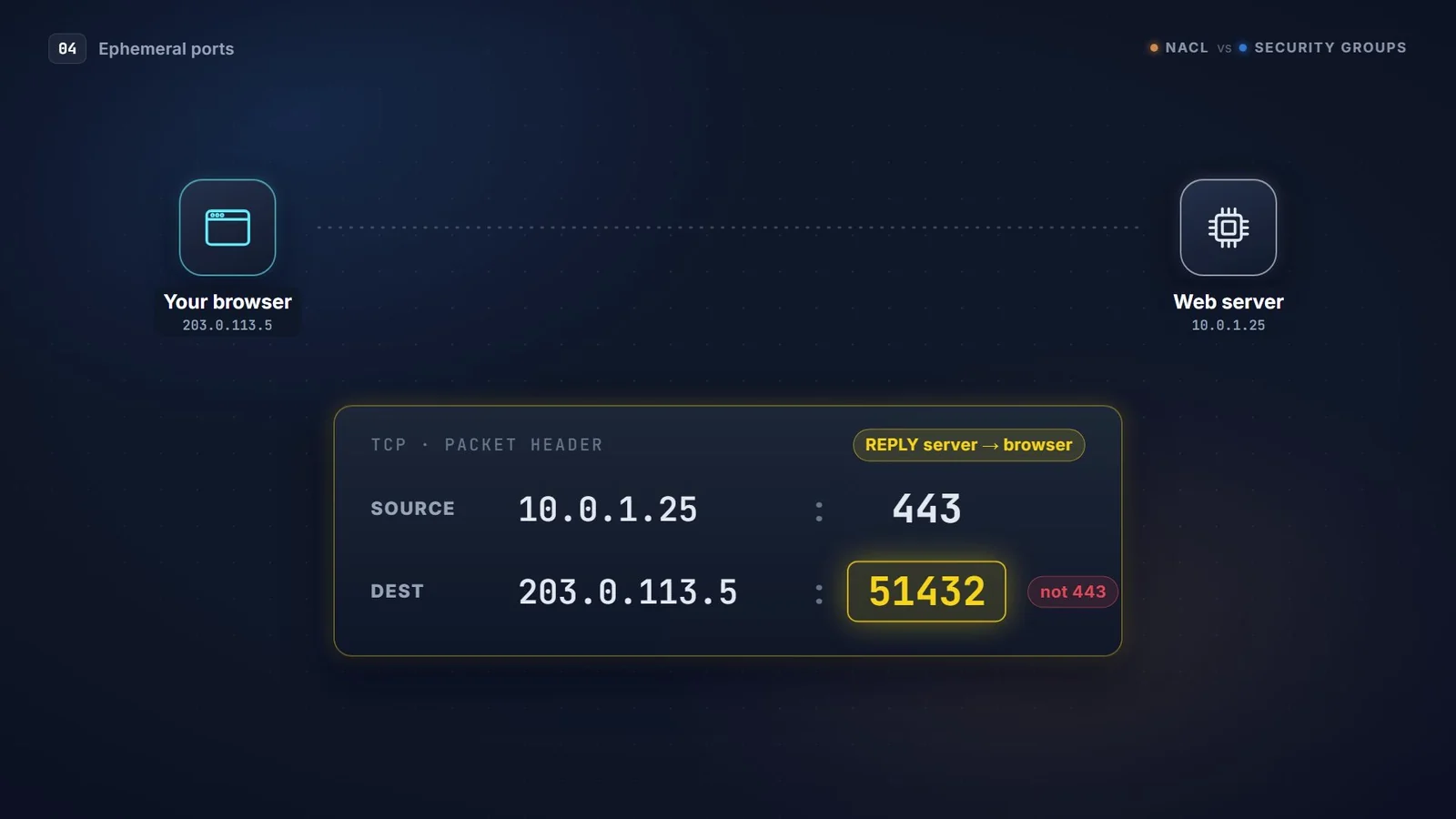
With a security group you never think about this. With a NACL, your outbound rule has to allow that destination port range. Which range depends on the client:
| Client OS / service | Ephemeral port range |
|---|---|
| Linux kernels | 32768–60999 |
| Windows Server 2008 and later | 49152–65535 |
| Elastic Load Balancing, NAT gateway | 1024–65535 |
In practice, allow 1024–65535 outbound for return traffic and every client type works.
The same thing bites in the other direction. If an instance runs yum update over 443, the responses come back to an ephemeral port on the instance, so the NACL needs an inbound rule for that range too.
Allow, deny, and why rule numbers matter
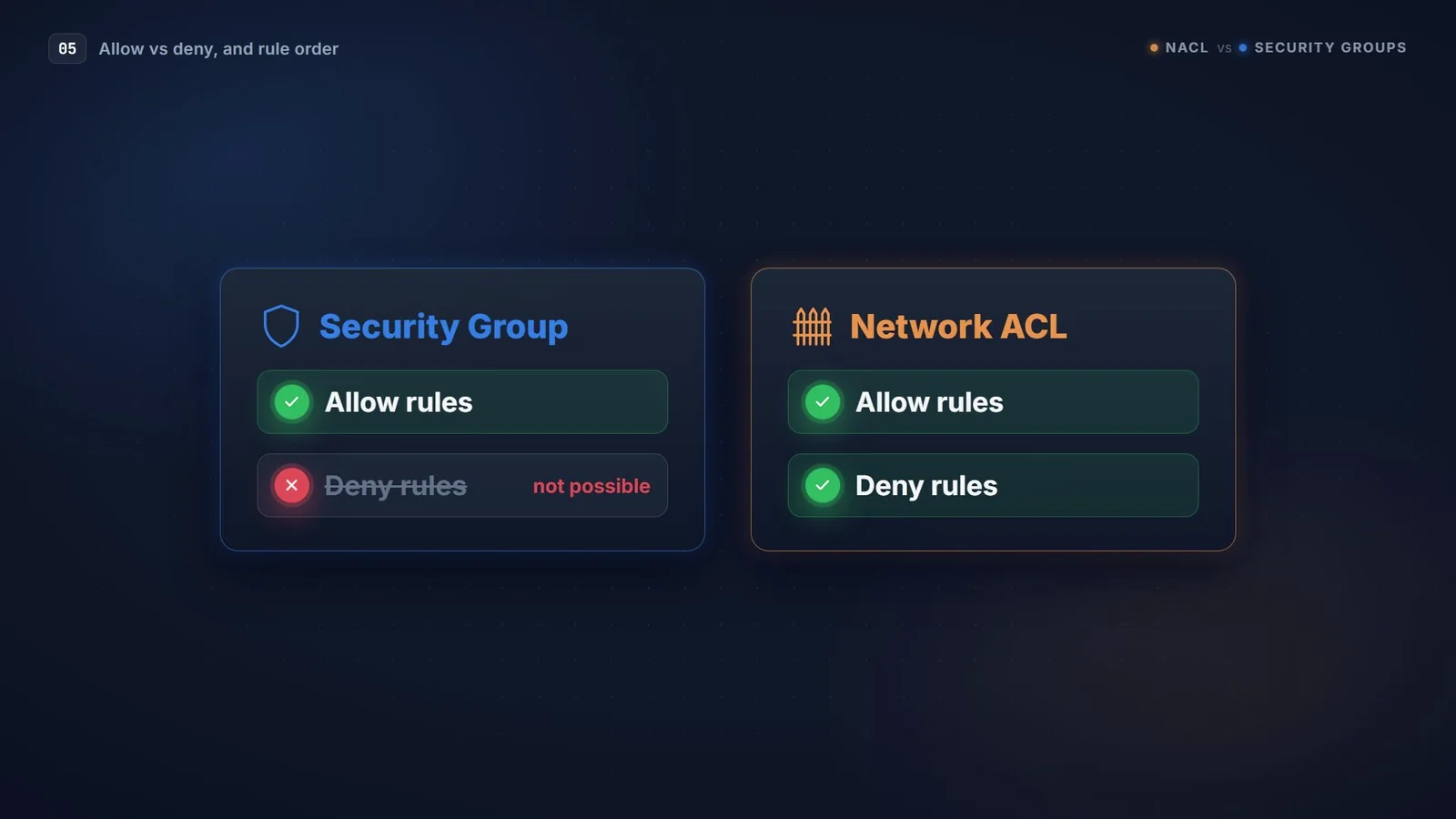
The second big difference: security groups can only allow. There's no such thing as a deny rule in an SG; anything you haven't allowed is dropped. That makes them safe by default, but useless for blocking one specific bad IP.
NACLs can do both.
NACL rules are also numbered, and the order matters. They're evaluated from the lowest number up, and the first match wins. Evaluation stops there. At the bottom sits a * rule that denies everything else, and you can't delete it.
Here's where that catches people. Say you want to block an abusive range, 203.0.113.0/24. If your deny is rule 200, but rule 100 already allows 443 from everywhere, the attacker's packet matches rule 100 first and walks straight in. Rule 200 is never even looked at.
Renumber the deny to 90 and it's checked first. Blocked.
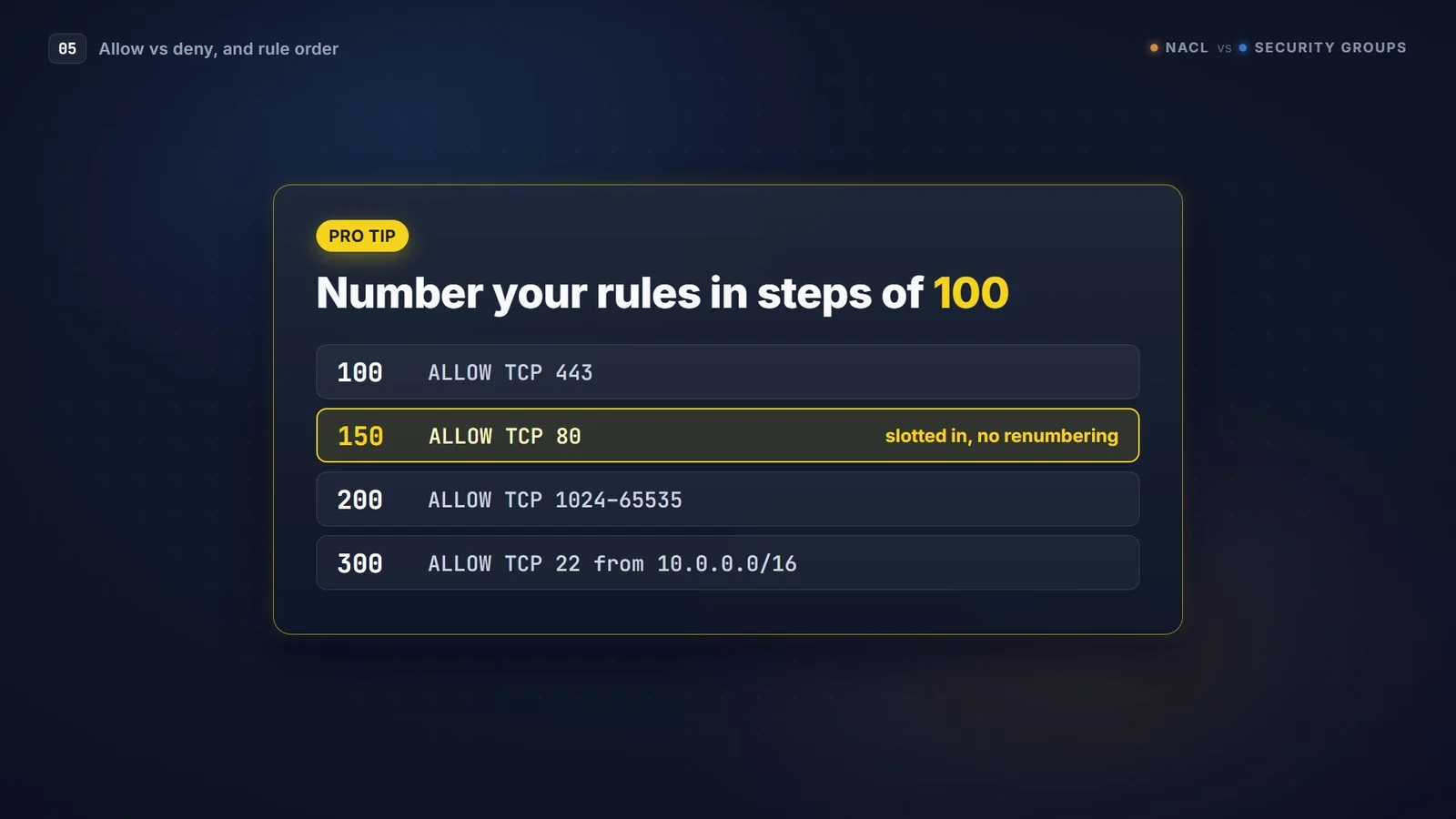
A small habit that saves a lot of pain: number your rules in steps of 100. When something comes up during an incident, there's always a gap to slot a new rule into without renumbering the whole table.
Side by side
| Feature | Security Group | Network ACL |
|---|---|---|
| Operates at | Instance / ENI | Subnet |
| State | Stateful: replies allowed automatically | Stateless: both directions need rules |
| Rule types | Allow only | Allow and deny |
| Evaluation | All rules together, any allow wins | Lowest number first, first match wins |
| A new one blocks | All inbound (all outbound open) | Custom NACL: everything, both ways |
| VPC default | Inbound from same SG, all outbound | Allow all, both ways |
| Can reference | IPs, prefix lists, other SGs | CIDR blocks only |
| Attachment | Up to 5 per ENI by default (max 16) | Exactly 1 per subnet |
| Rules per direction (default) | 60 | 20 |
| Best at | Fine-grained, app-aware access | Coarse subnet guardrails, explicit blocks |
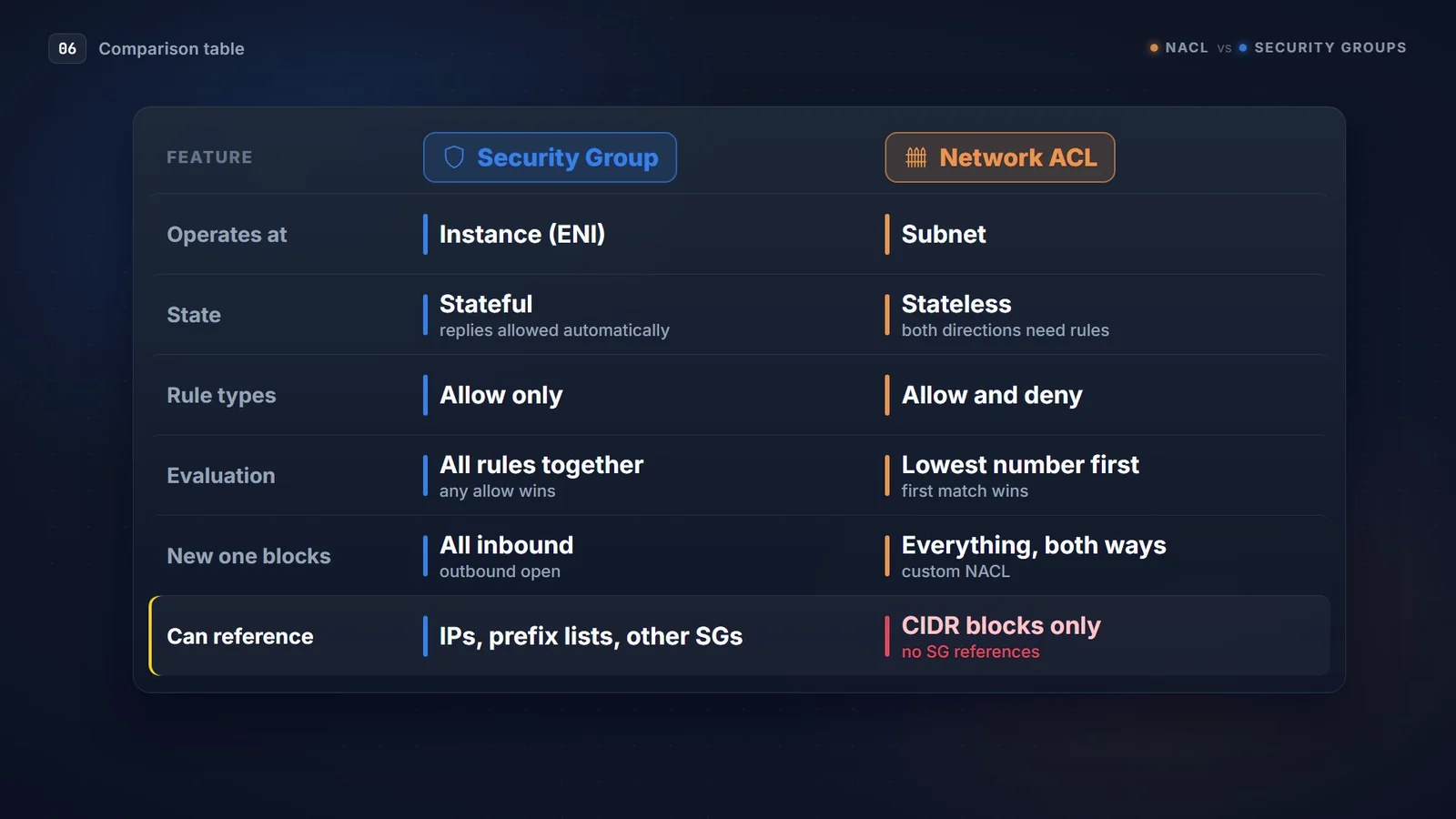
Two rows deserve a second look.
Defaults. The VPC's default NACL allows everything both ways, which is why most people never notice NACLs exist. A custom NACL you create denies everything until you add rules. Associate an empty one with a subnet and that subnet goes dark instantly.
References. Security groups can reference other security groups. That one feature is why SGs do the real access control in any well-built VPC, as the next section shows.
How they work together in a real three-tier app
Take a classic web app: a load balancer in public subnets, app servers in private subnets, and a database in isolated subnets.
The security groups do the real access control:
| SG | Inbound rule | Source |
|---|---|---|
sg-alb | TCP 443 | 0.0.0.0/0 |
sg-app | TCP 8080 | sg-alb |
sg-db | TCP 3306 | sg-app |
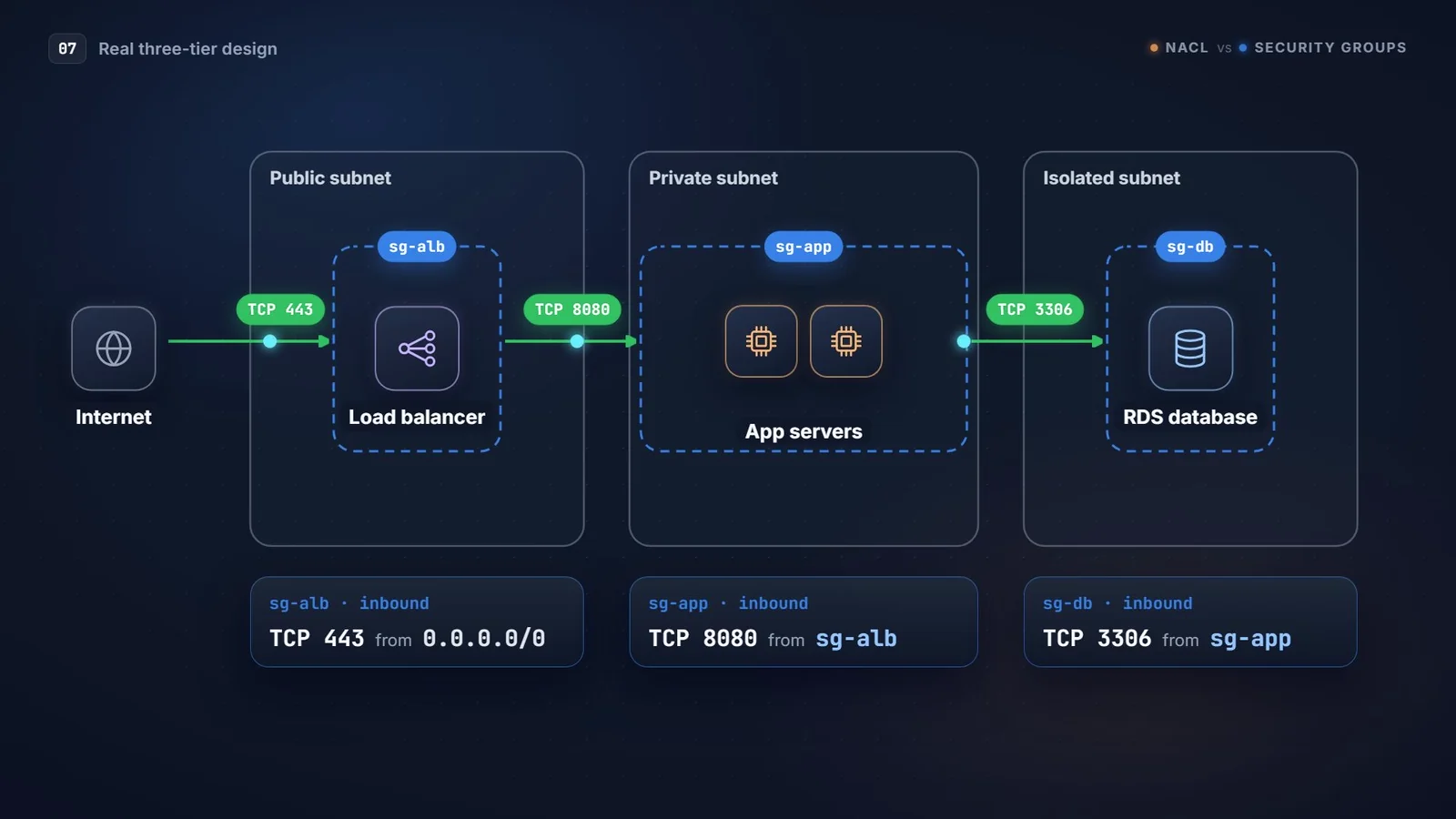
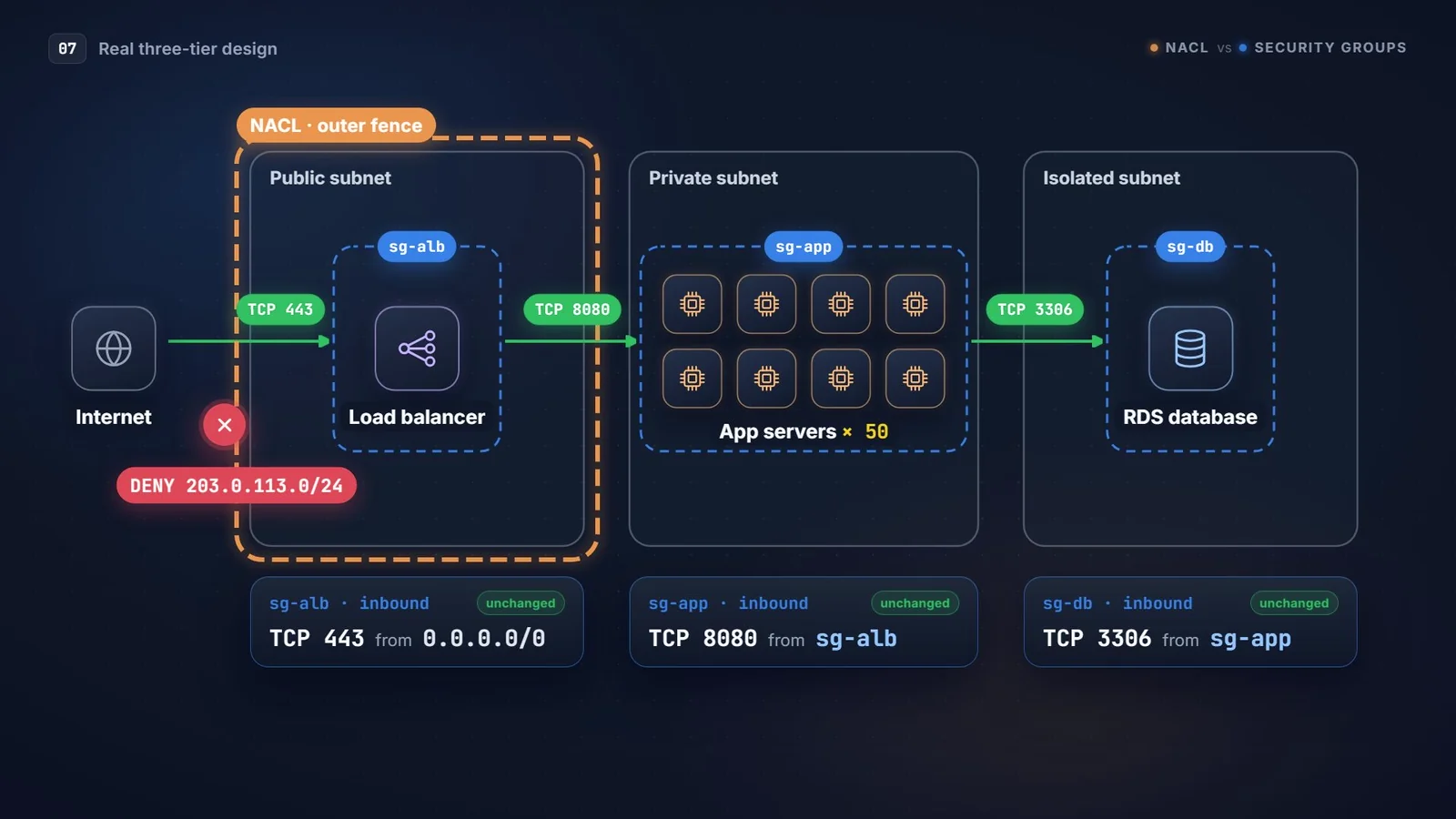
Look at the source column. There isn't a single IP address anywhere below the load balancer. The app tier trusts "anything wearing sg-alb", and the database trusts "anything wearing sg-app". Scale the app tier from two servers to fifty and nothing in those rules changes.
The NACLs then sit on top as a coarse outer fence. For example, on the public subnets:
| Rule # | Direction | Protocol / port | Source / dest | Action |
|---|---|---|---|---|
| 90 | Inbound | All | 203.0.113.0/24 (abusive range) | DENY |
| 100 | Inbound | TCP 443 | 0.0.0.0/0 | ALLOW |
| 110 | Inbound | TCP 1024–65535 | 0.0.0.0/0 | ALLOW |
| * | Inbound | All | 0.0.0.0/0 | DENY |
| 100 | Outbound | TCP 1024–65535 | 0.0.0.0/0 | ALLOW |
| 110 | Outbound | TCP 443 | 0.0.0.0/0 | ALLOW |
| * | Outbound | All | 0.0.0.0/0 | DENY |
The deny is numbered 90 on purpose, so it runs before the allow at 100. Put it at 200 and you're back to the attacker walking in through rule 100.
Copy-paste CLI
Let the app tier trust the load balancer's security group:
aws ec2 authorize-security-group-ingress \
  --group-id sg-app0123456789 \
  --protocol tcp --port 8080 \
  --source-group sg-alb0123456789
Block a bad range on a NACL, ahead of the allow rules:
aws ec2 create-network-acl-entry \
  --network-acl-id acl-0123456789abcdef0 \
  --ingress --rule-number 90 \
  --protocol -1 --cidr-block 203.0.113.0/24 \
  --rule-action deny
Allow return traffic outbound on the ephemeral range:
aws ec2 create-network-acl-entry \
  --network-acl-id acl-0123456789abcdef0 \
  --egress --rule-number 100 \
  --protocol tcp --port-range From=1024,To=65535 \
  --cidr-block 0.0.0.0/0 --rule-action allow
When to reach for which
Use security groups for almost everything: tier-to-tier access, admin access, database access. They're stateful, they follow the instance around, and SG references keep them maintaining themselves as you scale.
Reach for a NACL when you need something an SG simply can't do:
- Explicitly deny a specific IP or CIDR, for example during an incident.
- Put a subnet-wide guardrail in place, like "nothing in the DB subnets ever talks to the internet", no matter what a developer adds to an SG later.
- Meet a compliance control that asks for network-layer segmentation between subnets.
If you find yourself blocking more than a handful of ranges, stop and look at AWS WAF or AWS Network Firewall instead. The NACL's 20-rule budget runs out fast.
Mistakes I keep seeing
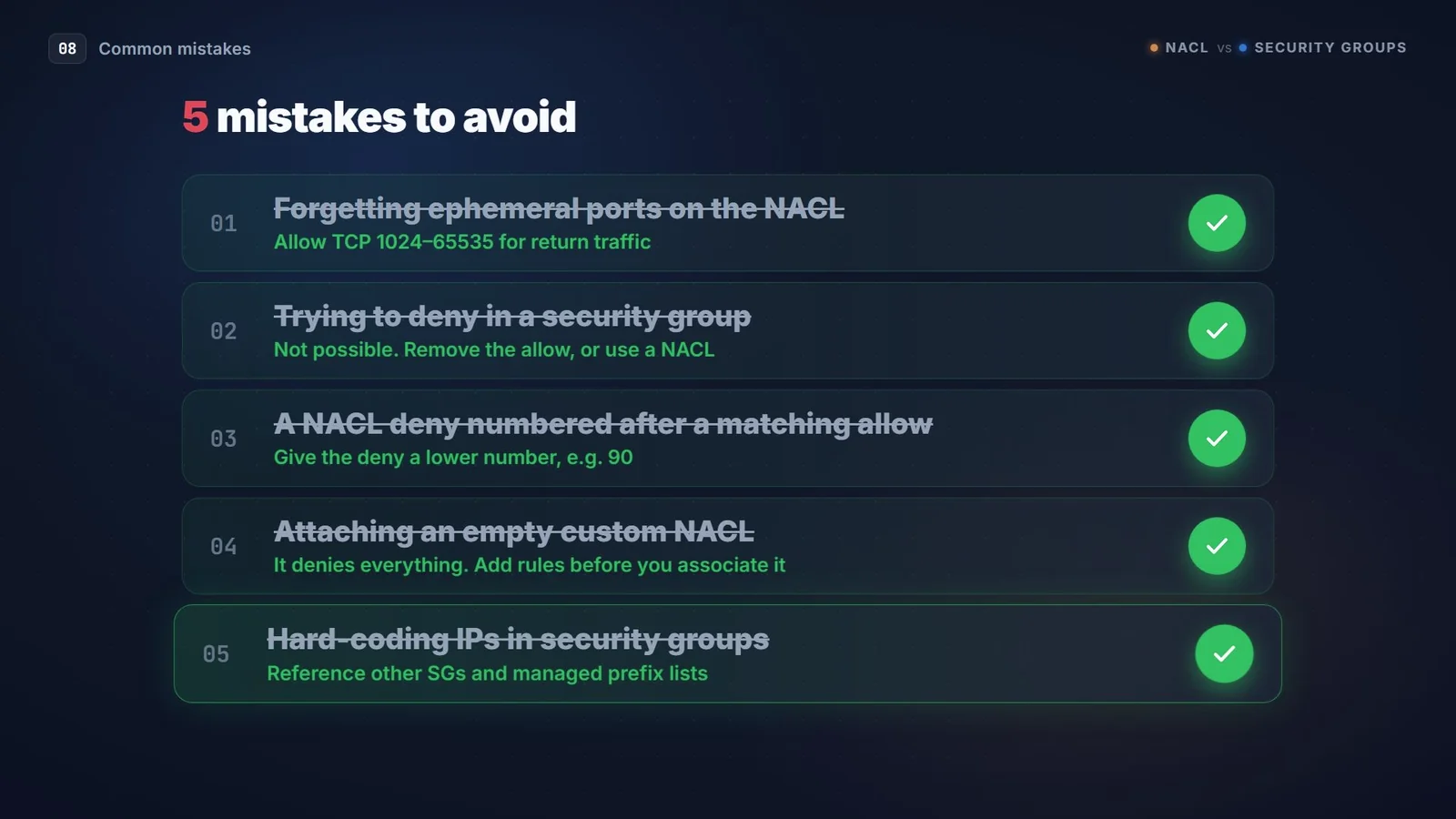
- Forgetting ephemeral ports on the NACL. The SG is perfect, the instance is healthy, connections still hang. Check the NACL outbound rules first.
- Trying to deny in a security group. It isn't possible. Remove the allow, or use a NACL.
- A NACL deny numbered after a matching allow. It never fires. Give the deny a lower number, and leave gaps (100, 200, 300) so you can slot rules in later.
- Attaching an empty custom NACL. It denies everything. Add the rules before you associate it.
- Hard-coding IPs in security groups. Reference other SGs and managed prefix lists instead.
And a bonus one that isn't in the video: expecting either firewall to filter AWS-internal services. Traffic to the Amazon DNS resolver, instance metadata (169.254.169.254), DHCP and Amazon Time Sync isn't filtered by SGs or NACLs at all.
Troubleshooting in two minutes
When something's blocked and you don't know which firewall did it, two tools get you an answer fast.
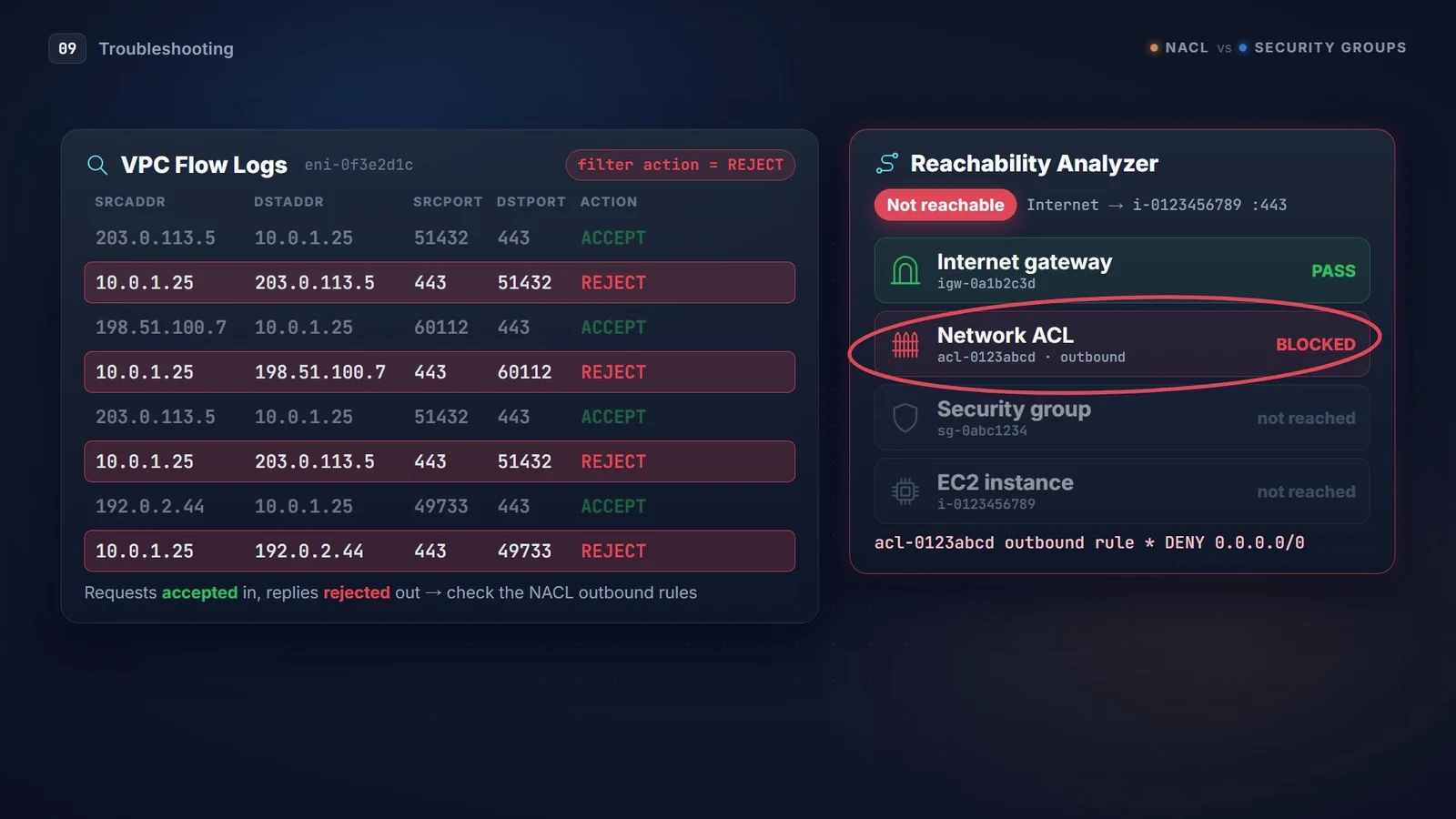
- VPC Flow Logs. Filter for
REJECT. If the inbound request showsACCEPTbut the outbound reply showsREJECT, that's the NACL outbound rule missing, the stateless trap from earlier. A cleanREJECTon the very first inbound packet usually points at the security group. - Reachability Analyzer. Pick a source and a destination and it tells you exactly which component blocks the path: which SG rule, which NACL rule, or which route.
Wrapping up
Think of it like the building again. The NACL is the guard at the entrance who checks every person in and every person out, and keeps a list of banned names. The security group is the keycard reader on each office door, and it remembers you once you're inside.
Use the keycards for everyday access. Keep the guard for the people you never want in the building at all.
Sources: Amazon VPC quotas · Amazon VPC endpoints and quotas · Control traffic with network ACLs · Security groups